High refresh rate vs higher resolution: You really need it?
2024-11-12 20:23:54
Click:
“
High refresh rate vs higher resolution: You really need it?
Do you sti
”
High refresh rate vs higher resolution: You really need it?
Do you still have a mobile phone or computer from ten years ago at home? If you can still turn it on, you might as well take it out and compare it with the current device to see what the difference is. Do you feel that the mobile phone that was very good ten years ago has suddenly become very backward, but you don’t even notice that such a big change has taken place.
With the advancement of image technology, the pictures presented by electronic devices are becoming clearer, more stable and smoother, and many terms have gradually appeared, such as resolution, pixels, refresh rate, etc. Are you dizzy? Don’t worry, let Document Master help you sort it out!
Resolution
Resolution, also known as resolution, can be divided into display resolution, image resolution, printing resolution and scanning resolution.
The following are the definitions of these resolutions:
• Display resolution is the resolution of the display when displaying an image. Resolution is measured in dots. The "dot" on the display refers to pixels.
• Image resolution refers to the amount of information stored in the image, which is the number of pixels per inch of the image.
• Printer resolution, also known as output resolution, refers to the maximum number of dots that can be printed per inch in both the horizontal and vertical directions when printing output, usually expressed in "dots per inch" or dpi (dot per inch).
• Scanning resolution refers to the number of dots that can be represented per inch of the scanned object by the scanning element when the multifunction printer realizes the scanning function.
This article mainly introduces display resolution.
The numerical value of display resolution refers to the number of horizontal pixels and vertical pixels in the entire visible area of the entire display. For example, a resolution of 800×600 means that 800 pixels are displayed horizontally and 600 pixels are displayed vertically on the entire screen.

The total number of horizontal pixels and vertical pixels of display resolution is always in a certain ratio, usually 4:3, 16:9 or 16:10.
4:3 is the most common screen ratio in the TV era, and it is an old standard handed down from the TV era. Before the rise of modern wide screens, most screen resolutions followed this ratio. See the table below for specifications.
VGA | SVGA | XGA | UXGA | QXGA |
640×480 | 800×600 | 1024×768 | 1600×1200 | 2048×1536 |
16:9 is a widescreen ratio commonly used in movies and videos. The commonly heard 720p and 1080p are of this ratio. It is a screen format suitable for video viewing and office operations (accommodating two documents to be processed side by side) but has relatively poor support for games (gradually gaining support from more games). See the table below for specifications.
QHD | HD | FULL HD | Quad HD | UHD |
960×540 (540P) | 1280×720 (720P,Quasi-HD) | 1920×1080 (1080P,HD) | 2560×1440 (2K resolution, ultra-HD) |
3840×2160 (4K resolution, ultra-high) |
16:10 is a common widescreen ratio for computer screens. See the table below for specifications.
WVGA | WSVGA | WXGA | WXGA+ | WSXGA + | WUXGA | WQXGA |
| 800x480 | 960x600 | 1280x800 | 1440x900 | 1680x1050 | 1920x1200 | 2560x1600 |
Each display has its own maximum resolution and is compatible with other lower display resolutions, so a display can display with multiple different resolutions.Although the higher the display resolution, the better, another factor must be considered, that is, whether the human eye can recognize it.
Here we need to mention a concept PPI (Pixels Per Inch), which is the density unit of pixels, indicating the number of pixels per inch. Therefore, the higher the PPI value, the better the display effect of the screen.
Steve Jobs proposed a concept: retina screen. Its definition is "when the human eye looks at a screen with a PPI greater than 300 at a distance of 10 inches (25.4 cm), it will not perceive the existence of pixels." Therefore, whether the existence of pixels is perceived or not, in addition to the quality of the screen itself, the viewing distance also has a great impact.

Take LED billboards for example. When viewed from a distance, you can hardly see the pixels, but when viewed from a close distance, you will find that they are densely packed with pixels. Therefore, the document master calculated the minimum standard of retinal screens (here, the distance between the human eye and the computer screen is 70 cm):
• At 1080P resolution, monitors below 21.5 inches best meet the requirements of retinal screens
• At 2K resolution, monitors below 27 inches meet the requirements of retinal screens.
• At 4K resolution, screen sizes below 41 inches meet the requirements of retinal screens, and the smaller the size, the finer the image.
At this point, the size standards that meet the retinal level at various resolutions have been released, but it should be noted that these are only theoretical data. Due to many factors such as the use environment, sitting posture, myopia, etc., people may have different usage experiences with the same monitor. We often see that when opening pictures or videos on a mobile phone, the image does not completely fill the screen, and black edges appear on both sides of the screen. This is caused by the mismatch between the image resolution and the mobile phone screen resolution.
For example, there is a computer with a screen resolution of 1920×1080, and there are several pictures with different resolutions, namely 2048×1536, 1920×1080, and 1280×800.

Original image
Let's take a look at the difference between theoretical display and actual display effect.
First, the theoretical effect and actual effect display of the resolution specification of 2048×1536

Theoretical and practical effects of 1920×1080 resolution

You may not be surprised by the display effect of the above-mentioned 1920 × 1080 picture. It is easy to understand that the same resolution can be displayed on the full screen. But why are the theoretical effects and actual effects of the other two resolutions different?
The reason is that when a TV displays a picture, there will be a set of display algorithms to process the picture. This algorithm will increase or reduce the pixels of the picture according to the logical resolution of the picture and the physical resolution of the screen, so that the picture can have the best display effect on the screen after processing.
For 2048*1536 resolution pictures, since the number of logical pixels exceeds the number of physical pixels of the screen, the display algorithm will reduce the number of logical pixels of the picture until the best display effect is achieved on the screen in order to fully display the picture on the screen. The deleted pixels are generally not visible to the naked eye.
For 1280*800 resolution pictures, since the number of logical pixels is less than the number of physical pixels of the screen, the display algorithm will increase the number of logical pixels of the picture until the best display effect is achieved on the screen. The increased pixels are generally not visible to the naked eye.
Refresh rate
Screen refresh rate is an important parameter of display devices. It represents the number of times the device can update the screen content per second. Usually, the refresh rate is measured in Hertz (Hz). For example, a refresh rate of 60Hz means that the device can update the screen content 60 times per second.
The higher the screen refresh rate, the more stable and smooth the screen display will be. This is especially important for applications that require fast dynamic response, such as electronic games and video playback.
If the screen refresh rate is too low, the screen display may appear blurry and smearing, which may affect the user experience.
In addition to providing a smoother picture, a high refresh rate can also improve the response time of the device. The response time of a device refers to the time it takes for the device to receive, input from the user, and display related operations.
A high refresh rate can reduce the response time, allowing the device to respond to user input faster.
In addition, different types of monitors have different refresh rate ranges. For example, ordinary LCD monitors are usually around 60 Hz, while high-end gaming monitors can reach more than 240 Hz.
The refresh rates of monitors currently on the market are mainly divided into 60Hz, 120Hz, 144Hz, 240Hz, etc. Among them, 60Hz is the most common refresh rate and also the lowest refresh rate.
High refresh rates such as 120Hz, 144Hz, and 240Hz are monitors that have become increasingly popular in recent years because they can bring smoother picture effects, especially for playing games and watching high-definition videos.
The screen refresh rate is affected by many factors, such as hardware performance, display type, and connection method. Displays with high refresh rates usually require higher performance hardware support, such as graphics cards, CPUs, etc.
1.The hardware level of the display: The hardware level of the display is one of the most important factors affecting the refresh rate. Generally speaking, high-end displays have higher refresh rates.
2. Graphics card performance:Graphics card performance is another important factor affecting the refresh rate of the display. If the graphics card performance is insufficient, even if the display itself supports a high refresh rate, it cannot be brought into play.
3. Transmission interface standards: The standard of the transmission interface will also affect the refresh rate of the display. For example, a display using HDMI 1.4 or DP 1.2 as a data interface can only have a maximum refresh rate of 60Hz, while a display using DP 1.4 or HDMI 2.0 as a data interface can support a higher refresh rate.
In rugged tablets (designed for industrial, outdoor, and extreme environments), the priority between high refresh rate and high resolution depends on the specific use cases. Here’s some guidance on how to choose between the two:
1. High Refresh Rate (120Hz or above)
A high refresh rate provides smoother visuals, which can be beneficial in scenarios requiring rapid interactions, smoother animations, and reduced motion blur. This is particularly important in consumer electronics for gaming or multimedia, but for rugged tablets, the need for a high refresh rate is generally lower unless specific scenarios apply:
Fast-response tasks: For real-time monitoring, navigation, or quick data updates in outdoor environments, a high refresh rate can improve the user experience.
Precision writing or drawing: If the tablet is used for tasks requiring fast responses and minimal lag (such as signatures, drawing, or annotations), a higher refresh rate can be helpful.
However, a drawback of a high refresh rate is increased battery consumption, which is less desirable for rugged tablets that prioritize long-lasting power. In scenarios with basic display needs, 60Hz is typically sufficient.
2. High Resolution (e.g., 2K or above)
High resolution primarily enhances clarity and detail, which is crucial in scenarios where fine details are important. In rugged tablets, especially for outdoor use, high resolution is valuable for reducing eye strain and improving visibility of fine details on maps, documents, and images. Opting for higher resolution may be more suitable in cases such as:
Viewing maps or technical drawings: High resolution allows users to clearly see map details or annotations on technical drawings.
Reading text: For reading documents, inspection records, or technical documents, a high-resolution screen offers better text clarity, making it easier to read.
Viewing images and videos: If the rugged tablet is used for capturing images or videos or for viewing high-quality media, higher resolution improves clarity and quality.
Overall Recommendation
For most rugged tablet applications, high resolution should take priority over high refresh rate due to the following reasons:
Rugged tablets are more focused on clear display and durability, as well as performing well in extreme environments.
While a high refresh rate offers a smoother experience, it consumes more battery power, which can impact outdoor or mobile usage.
High resolution enhances visibility, which is more practical for tasks involving inspections, documentation, or record-keeping.
Practical Recommendations
For general use: A rugged tablet with a 60Hz refresh rate and 1080p (or higher) resolution should be sufficient for basic tasks.
For specific requirements: If you need frequent dynamic interactions (e.g., real-time video monitoring or drawing), you may consider 120Hz, balancing refresh rate with resolution based on your budget and needs.
In summary, prioritize high resolution over high refresh rate in rugged tablets, focusing on battery life and outdoor readability, which are more critical factors in these environments.
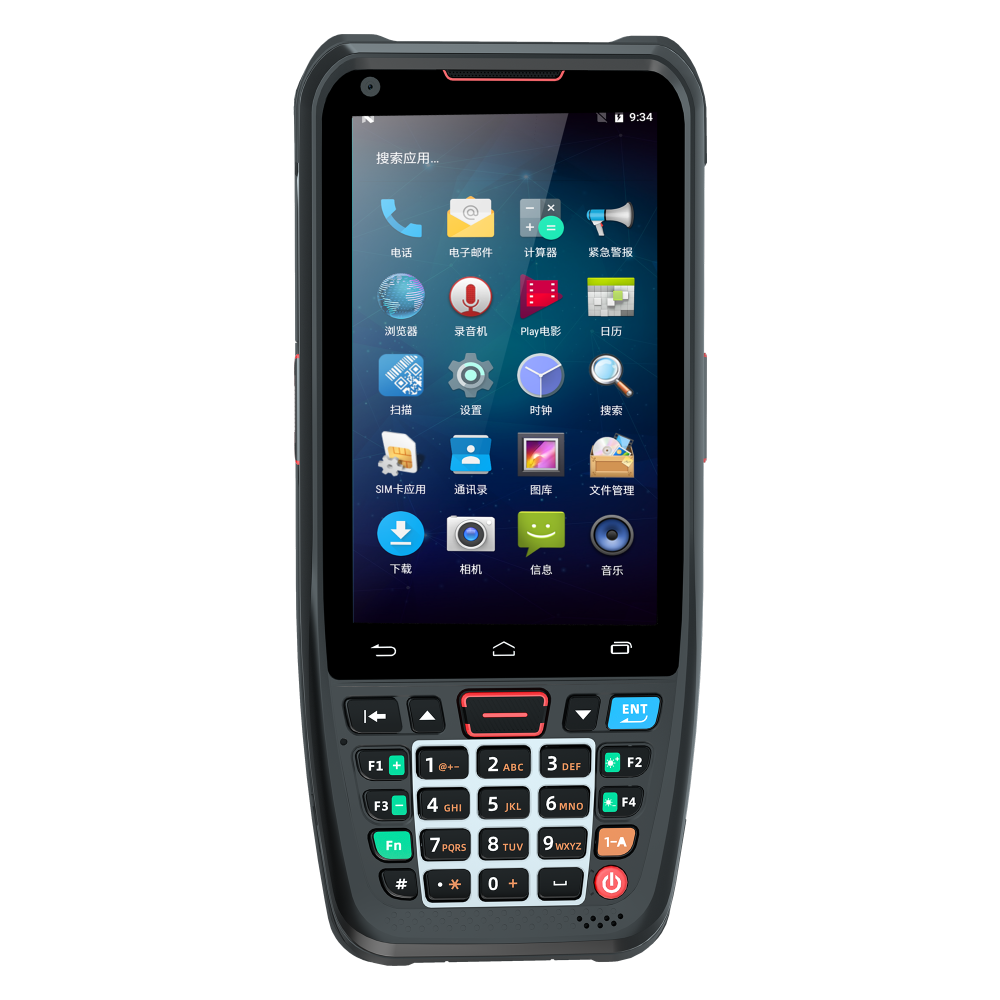
PDA configuration
Product model: T71EX
Functional modules: 1080*1920 FHD industrial 2200nit Sunlight Readable screen









LET'S GET IN TOUCH
LET'S KEEP TOUCH
Please leave your messages.
we will reply within 1 working day.
Contact

+86 17373842885

info@iu-plus.com

Address:Room 401, Wanfeng Coast City, Wanfeng Community, Xinqiao Street, Baoan District, Shenzhen, China
Follow and subscribe to us

Copyright ©2017-2024 Shenzhen IUPLUS Information Co., LTD All Rights Reserved